









Introduction
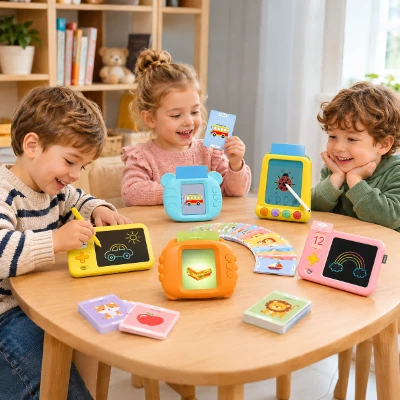
Three buttons: play, power, volume. One small indicator dot between two of them. No screen, no menu, no app.
That is the entire interface, and it is deliberately smaller than what the hardware could support. Every extra button is a new thing to learn, a new thing to press by accident, and a new combination that the firmware has to arbitrate.
The design question is not "how many functions can we fit". It is "which three actions does a child perform without being taught". 🎛️
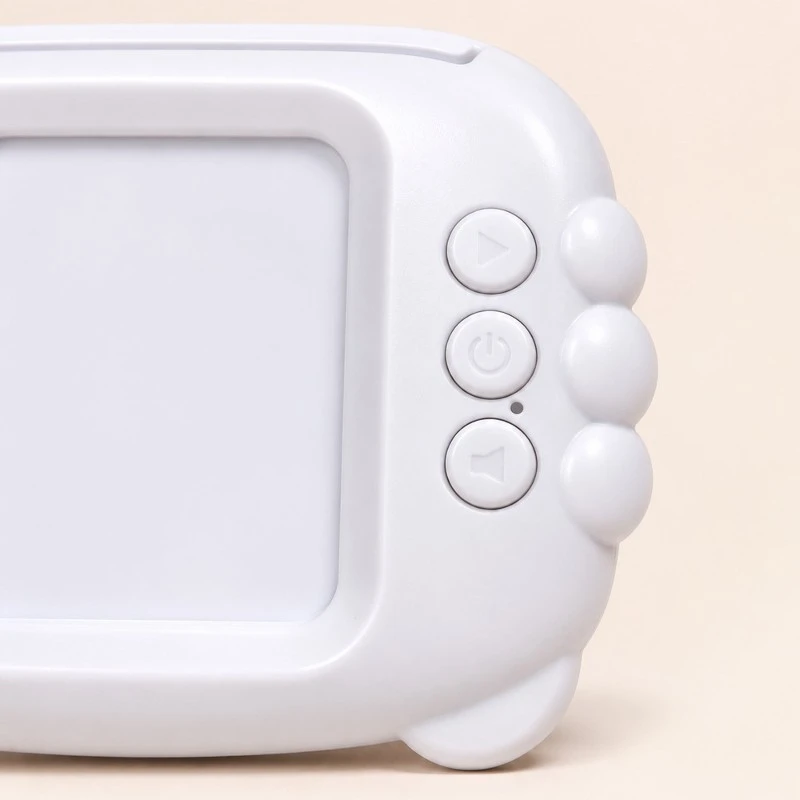
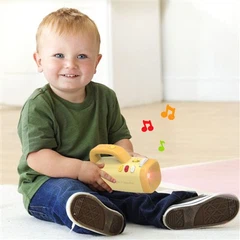
Three buttons on the right edge, one indicator dot, no display anywhere on the product
Three is a ceiling, not a minimum
The three functions that survive contact with a two-year-old are: make it talk, make it stop, make it louder or quieter.
Everything else in this product is automatic. The card insertion triggers playback. The end of the clip stops the motor of attention by itself. The power state is either on or off, and children do not manage it, parents do.
A fourth button is where products in this category usually go wrong. Repeat, language switch, mode, volume up separated from volume down. Each one is reasonable in a requirements meeting and invisible to a child, who then learns to press everything until something happens, which is the behaviour that scratches screens and drains batteries.
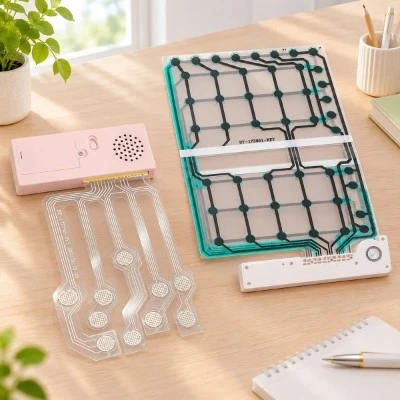
Three buttons also keep the mold simple: one row, one tool detail, one dome array on the board behind them. 👆 🧩
Power needs a long press, or a different trigger
A power button that responds to a single press will be pressed. In a bag, in a toy box, by a younger sibling.
The usual answer is a long press, somewhere between 0.8 and 1.2 seconds. That is longer than a two-year-old naturally holds a button while exploring, which is exactly why it works, and also why a child cannot turn the toy off when a parent asks.
The alternative is to make power almost irrelevant. Wake on card insertion, sleep after three minutes of silence, and treat the power button as a hard off for travel. In that design the toy is always ready when a card goes in, and the battery cost of the idle state has to be low enough to survive a week in a drawer.
Whichever route is chosen, the state machine needs an explicit rule for what happens if the button is held for ten seconds while a card is inserted. Something will do that. 🕹 📴
Play is the only button worth teaching
If insertion already starts playback, what is play for?
It repeats. A child hears a word, misses it, and presses the same button to hear it again. That is the single most valuable function in the product, and it is the one a child discovers without help, because pressing the button that made the sound happen is the most natural experiment in the world.
Two rules make it reliable. The repeat must restart the same clip, not advance to the next one, which means the firmware has to remember the current card identity rather than the current file position. And the repeat must be available during playback, not only after it, so an impatient press does not produce silence.
Everything else that could be attached to this button, such as a second press advancing to the next card, should be resisted. There is no next card. The child is holding it. ▶️
Volume in three steps, with a memory
Continuous volume feels modern and behaves badly. A child who finds the wheel will leave it at one extreme, and the toy is either inaudible or at the compliance ceiling. 🔔
Three discrete steps, with a default around 60 percent and a hard ceiling under the 80 dB(A) limit, gives a predictable product. The step change should be about 5 dB, which is clearly audible without being startling, and the setting must be stored, so the toy comes back at the level the parent left it.
The important detail is what happens at the top step. It should be a normal step with a short confirmation tone, not a special warning sound. A distinct "maximum" alert teaches a child that there is a level worth reaching. 🔊
The dot between the buttons
That small indicator has one job: tell an adult something the audio cannot.
During playback it can pulse slowly, which reads as alive without distracting from the word. At rest it can be off, because a glowing toy in a dark bedroom is a design fault. At low battery it should do something that only happens at low battery, so the meaning is unambiguous.
The temptation is a set of blink codes: two short blinks for pairing, three for error, slow blink for charging. Adults do not memorize blink codes and children never read them. One colour, one slow pulse during playback, and one clearly different rapid triple pulse at low battery is the entire vocabulary worth shipping. 💡
Sound is the interface
With no screen, every state change that is not visible has to be audible, and that audio must not be confused with the content.
That is a separate sound design job from the word recordings. Short earcons, 60 to 80 milliseconds, with a different timbre from the narrator's voice, and a small vocabulary: ready, card not recognized, low battery, volume step. Four sounds, each used consistently, and never reused for anything else.
The rule that keeps it coherent is that content audio is always a human voice and system audio is never a voice. A toy that beeps in a voice, or speaks in a beep, is a toy whose feedback cannot be parsed. 🎵
Three fingers, one decision
Simultaneous presses happen constantly, and the firmware has to arbitrate them explicitly rather than by accident.
The usual priority is a simple hierarchy: power wins over everything because it is a long press and cannot be triggered by accident; play wins over volume; volume changes are applied one step per accepted press, not per button-down event.
Mechanically, three buttons on one edge can be wired as a small matrix, which saves pins and introduces ghosting when three are pressed at once. Direct GPIO with one line per button costs two extra pins and removes the entire failure mode. On a product where the primary user presses everything together, that trade is worth making. ⚙️
Button life and the feel of a click
A child presses a button several hundred times a week, and the button has to feel like an answer.
Dome switches on the board, actuated by a molded key with a silicone return, give a clean click at 1.6 to 2.2 newtons with 0.3 to 0.5 mm of travel. Lighter than that and the button is pressed by resting a finger on it. Heavier and a small hand cannot produce the travel.
The dome is also the wear item. Rated life is typically 50,000 to 100,000 cycles, which at three hundred presses a week is between three and six years. What fails first is not the dome but the key: a molded key that rubs on its guide develops a squeak, and a squeak on a toy that is supposed to feel solid is a return reason all by itself. 🔩
Why does the toy turn on by itself in a bag?
Either the power button responds to a short press, or the wake-on-insert logic is triggered by a card that shifted against the slot. Both are firmware and geometry, not electronics. A long press to power off, plus a slot that holds the card away from the sensor when idle, solves it.
Why does pressing play sometimes do nothing?
Because the firmware is between cards. If the repeat function is tied to a file position rather than a card identity, a press during the gap after a card is removed has nothing to repeat. Tying repeat to the last valid card identity removes the dead press.
Can we add a language switch button?
It can be done, and it means a fourth button, a new state, and a new error mode for a child who switches language by accident. The cheaper route is a language-specific card set, which changes the content and leaves the interface alone. 📚
What this product actually is
A card reader is a state machine with three inputs and one speaker. The buttons are not controls so much as a vocabulary, and the firmware is what decides whether a child can learn that vocabulary in ten minutes. 🚀
Three buttons, one slow pulse, four earcons, and a repeat that always works. That is a smaller interface than most product teams want, and it is the reason the toy gets used without a parent in the room.
SHENZHEN XINDITAI ELECTRONIC CO., LTD.
Official Website: www.kidsoundbook.com | www.xinditai.com
Email: happy@xinditai.com WhatsApp: +86 138 2434 3309
LinkedIn: https://www.linkedin.com/in/happy-gao-education-toy-oem-odm/
YouTube: https://www.youtube.com/@XDTHappy