

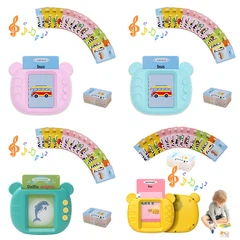






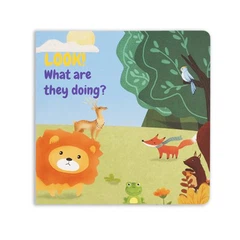
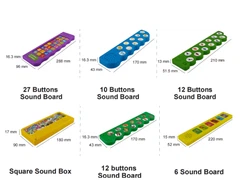


Digital learning tools are now a common part of childhood.
Families, schools, clinics, and libraries use apps, videos, e-books, and smart toys to support growth. This article explains what digital tools can do for children, what risks exist, and how to apply best practices. The goal is to present clear guidance that busy decision-makers can use today. The language is simple so young readers can also understand the main points. The tone is formal and consistent for professional use.

What Are Digital Learning Tools?
Digital learning tools are products that help children learn with screens, sound, and touch. These tools include:
Educational apps and games
E-books with audio and simple interactions
Interactive sound books and activity panels
Videos and short lessons with captions
Smart toys that respond to voice or touch
Platforms that track progress
These tools can support reading, listening, memory, logic, and creativity. When designed well, they can match a child's level and adjust the pace. That is helpful for different learners, including children who need extra practice.
Why Digital Tools Matter
Children learn by seeing, hearing, speaking, and doing. Digital tools can mix these modes. For example, a child can:
Hear a word while seeing the picture
Tap a symbol to receive feedback
Repeat a phrase and compare pronunciation
Solve small tasks and earn badges
This approach can make attention stronger and increase time on task. It can also make practice more regular at home. For busy parents and teachers, such support saves time and keeps learning steady. 📈
Evidence-Based Benefits
Literacy and Language
Phonics practice: Short sound units, repeated with feedback, can improve decoding.
Vocabulary growth: Clear images, simple definitions, and example sentences help memory.
Listening skills: Read-aloud audio with word highlighting can support comprehension.
Early Math and Logic
Number sense: Visual counters and number lines help children build a mental map of value.
Operations practice: Step-by-step tasks build fluency with small daily goals.
Patterns and logic: Sorting and matching games train attention and reasoning.
Social and Emotional Skills
Guided storytelling: Stories that show feelings help children name emotions.
Turn-taking games: Activities that require waiting and responding can build self-control.
Positive feedback: Calm, simple feedback encourages persistence.
Inclusion and Accessibility
Adjustable text size and audio speed help diverse learners.
Visual supports and captions assist children with hearing challenges.
Simple layouts reduce overload for children who benefit from structure.
Known Risks and How to Reduce Them
Excess Screen Time
Risk: Long sessions can reduce sleep quality, outdoor play, and social time.
Action: Set daily limits. Use tools in short blocks (10–20 minutes), with breaks.
Poor Content Quality
Risk: Fast, noisy content can overload attention and reduce real learning.
Action: Choose content with clear goals, calm pacing, and age-appropriate language.
Privacy and Data Use
Risk: Some apps collect data that families do not expect.
Action: Pick tools with clear privacy policies and minimal data collection. Avoid unnecessary accounts for young children.
Safety and Hardware Issues
Risk: Small parts, sharp edges, or weak batteries can cause harm.
Action: Use products with safety testing. Store batteries safely. Follow charging guidelines.
Practical Framework for Selection
1) Learning Goal First
Define the skill: phonics, vocabulary, number sense, or listening.
Choose a tool with a narrow, clear aim and built-in progress steps.
2) Simple Design
Look for clean screens, large buttons, and limited text per page.
Check that audio is clear and not too loud.
3) Short, Structured Sessions
Plan daily micro-sessions.
Use a timer to keep momentum without fatigue.
4) Active, Not Passive
Prefer tap, say, drag, or record tasks over long passive videos.
Ask the child to explain answers in their own words.
5) Feedback That Teaches
Feedback should say why an answer is right or wrong.
Encourage retry with small hints, not just scores.
6) Family and Teacher Involvement
Read together when possible.
Review weekly progress and adjust the level.
Implementation in Home, School, and Clinic
Home Use
Place learning time after a routine (breakfast or homework).
Keep the device in visible common spaces.
Mix digital tools with real books, crafts, music, and outdoor play.
School Use
Align tools with curriculum standards.
Use small-group stations to rotate students.
Track results and share summary notes with families.
Clinical and Special Education Use
Set measurable targets (e.g., five new words per week).
Use built-in data to adjust goals.
Combine digital practice with direct instruction.
Quality Markers to Look For
Transparent learning objectives on the main screen or info page
Age-appropriate language and calm visuals
Offline mode for privacy and reliability
Clear audio with adjustable volume
Evidence summary or pilot results shared by the provider
Safe materials and compliant packaging for physical products
Sample Daily Plan
10 minutes phonics or vocabulary with audio prompts
10 minutes number sense with visual counters
10 minutes read-aloud e-book with highlighted text
30 minutes non-digital play, crafts, or reading print books
Short review with a parent or teacher to reinforce key points
Measuring Progress
Use simple checklists: new words learned, sounds decoded, problems solved.
Track time on task, not just scores.
Celebrate small wins with stickers or brief notes.
Adjust the level weekly to stay in the "just-right" zone.
Sustainability and Device Care
Use protective cases for devices.
Keep batteries charged safely and avoid overheating.
Wipe surfaces with a soft cloth. Avoid harsh chemicals near ports.
Store sound books and smart toys in dry places.
Ethical and Inclusive Design
Represent diverse cultures and family structures.
Use respectful voice-overs and neutral accents where possible.
Avoid manipulative reward loops. Keep praise calm and specific.
Offer multilingual support when needed.

How XDT Supports Partners
XDT designs and supplies educational sound books and related learning tools for global clients. We focus on clear content, safe materials, and consistent quality. Our team supports OEM and ODM projects, with attention to documentation, labeling, and logistics. We help schools, brands, and retailers deliver products that are easy to use and ready for scale.
Website: www.kidsoundbook.com
Email: happy@xinditai.com
WhatsApp: +8613824343309
LinkedIn: https://www.linkedin.com/in/happy-gao-education-toy-oem-odm/
YouTube: https://www.youtube.com/@XDTHappy
Frequently Asked Questions
How much screen time is appropriate?
Short sessions of 10–20 minutes, two to three times per day, are reasonable for many children. Balance digital time with print reading and active play.
Are interactive sound books helpful for early readers?
Yes. When audio, images, and short text work together, children can link sounds to letters and words. This supports decoding and comprehension.
What if a child prefers one tool and resists others?
Keep the preferred tool, but add variety in short blocks. Rotate content to keep motivation steady while avoiding boredom.
Do digital rewards help?
Simple, clear rewards can help when used sparingly. Focus on mastery and understanding, not only points or badges.
How can schools ensure privacy?
Choose tools with minimal data collection, clear consent steps, and offline modes. Store any reports securely and limit access.
Conclusion
Digital learning tools can strengthen literacy, math, and social skills when used with purpose and care. The best results come from clear goals, short sessions, active practice, and regular adult guidance. With thoughtful selection and consistent routines, families and schools can support growth while protecting wellbeing. For partners seeking reliable, child-friendly products and long-term support, XDT is ready to help. ✨